Automation

The most common challenges in AI and automation implementation - PAteam blog
Blog

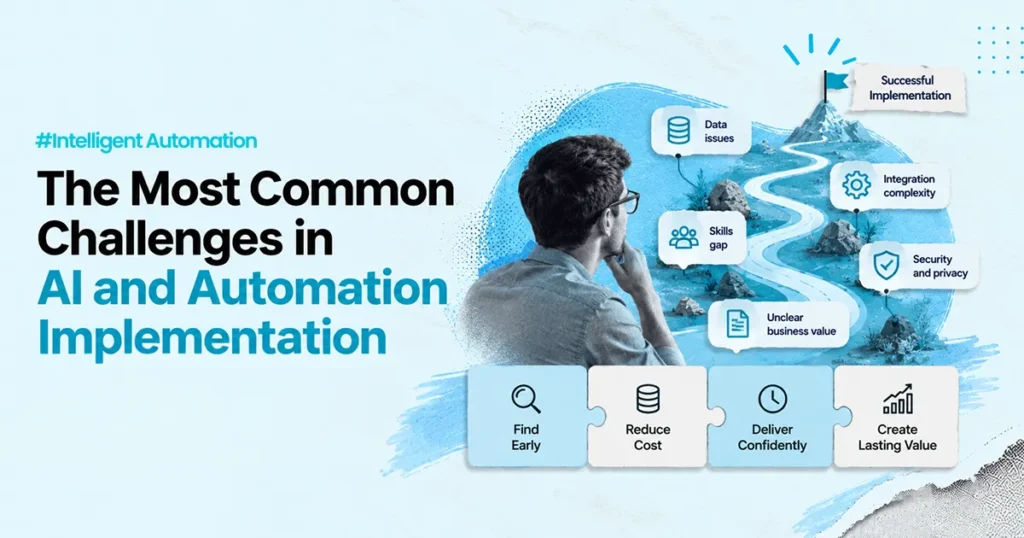
The Most Common Challenges in AI and Automation Implementation

Most AI and automation projects do not fail because the idea was bad. They fail because the system cannot survive real operations. A common story looks like this. A team builds a working pilot in a few weeks. The demo looks great. Leadership is excited. Then the same pilot hits production and everything slows down. Data is missing. Exceptions show up. Security asks hard questions. The business is unsure who owns it after go-live. Adoption is patchy because the workflow is not inside the tools people already use. If you are planning AI or automation, this is the article to read before you spend your budget. This guide explains the most common problems teams run into, why they happen, and what to do instead. It uses simple language and practical steps. No hype. First, a simple definition (so we stay clear) Automation means software follows steps you define. Example: “If the status is Approved, then create a ticket and send an email.” RPA (Robotic Process Automation) is a type of automation. It uses software “bots” to click through screens and move data across systems, like a human would. AI is useful when the task involves language, patterns, or judgment support. Example: reading an email, identifying intent, drafting a response, or summarizing a case. Intelligent automation often combines both. Rules handle what should be predictable. AI helps with what is messy. Controls keep it safe. Challenge 1: Teams automate too early, before the workflow is truly understood Many teams start with tools. They should start with the work. If you do not understand the workflow, automation will amplify confusion. It will move faster, but in the wrong direction. What “not understood” looks like: What to do instead: A quick test: if you cannot explain the workflow in one page, you are not ready to automate it. Challenge 2: Data issues break AI and automation faster than anything else [Image: Data pipeline from multiple systems into a single “clean view” | Alt: Data quality and access for AI ] AI needs data. Automation needs data too. Poor data is the silent killer. This problem usually has three parts. 1) Data quality If records are incomplete or inconsistent, the system will make bad decisions. “Bad in, bad out” is real. 2) Data access Even if the data exists, your system may not be allowed to access it. This is common in regulated environments. 3) Data meaning Two systems may use the same field name but mean different things. That creates logic errors and wrong outcomes. What to do instead: If your AI cannot explain what it used and where it came from, you will struggle with trust later. Challenge 3: The solution is built outside real workflows, so adoption stays low A separate portal is a common mistake. People do not want “one more tool.” They want less work inside the tools they already use. When AI and automation live outside daily workflows, three things happen: What to do instead: This is also why platform work matters. Many teams want automation that works inside major platforms, not next to them. Challenge 4: People and change management get ignored, then everything stalls Teams often treat implementation as a technical project. It is also a people project. Even strong automation fails if: What to do instead: A helpful mindset: adoption is part of the system design, not a separate rollout task. Challenge 5: Governance and compliance are treated as paperwork, not as product design If your system touches customer operations, governance is not optional. Good governance answers simple questions: Frameworks like the NIST AI Risk Management Framework focus on building “trustworthy AI” through structured risk management. This includes governance practices and ongoing measurement, not just model building. (NIST) Also, regulation is moving toward risk-based expectations. The EU’s AI Act is built around risk levels, with stricter rules for higher-risk uses. (Digital Strategy) What to do instead: If you are using generative AI, treat it with extra care. NIST has a dedicated companion profile for generative AI risk management, which highlights why testing and controls matter. (NIST Publications) Challenge 6: Security and privacy get handled late, and delays pile up [Image: Security checklist with access controls, encryption, logging | Alt: Security and privacy for automation ] Security teams do not block projects because they dislike innovation. They block projects because unclear systems create risk. This is where many projects get stuck: Standards like ISO/IEC 27001 exist because security needs a management system, not just tools. (ISO) And modern privacy laws, including GDPR principles, emphasize integrity and confidentiality of personal data. (GDPR) What to do instead (simple version): This is not “extra work.” It prevents months of delay. Challenge 7: Scaling breaks because there is no “run” plan after go-live [Image: Monitoring dashboard with alerts and error rates | Alt: Operating model for AI systems ] A pilot is not a production system. Production needs an operating model. That means: Without this, small issues turn into bigger failures: What to do instead: A good rule: go-live is the start of ownership, not the end of delivery. Challenge 8: ROI is measured poorly, so leadership loses confidence [Image: Simple ROI model with time saved, error reduction, and cost | Alt: Outcome metrics for automation ROI ] Many teams use vanity metrics because they are easy: These do not prove business value. Better outcome metrics (pick 3 to start): A simple ROI model (easy and honest): This keeps the conversation grounded. A practical “ready for implementation” checklist [Image: Checklist page with boxes ticked | Alt: AI and automation readiness checklist ] Before you scale beyond a pilot, you should be able to answer yes to most of these: Workflow clarity Data readiness Controls Operations If you cannot answer these, the project may still succeed, but it will be slower and riskier. A simple implementation plan you can follow (30 to 90 days) [Image: Timeline with Discover -> Build -> Run -> Improve | Alt: 30-60-90 day plan for

Intelligent Automation, Practical Trends Shaping the Future of Work
Blog

Intelligent Automation: Practical Trends Shaping the Future of Work

You can usually tell when a business is ready for “the future of work.” It is not when they buy a new tool. It is when the day-to-day work starts to feel lighter. Fewer handoffs. Fewer copy-paste steps. Fewer “Can you pull that report again?” messages. Fewer people acting as the glue between systems. Most leaders want that outcome. But the path is messy. They hear terms like hyperautomation, AI assistants, low-code, and edge automation. Each sounds promising. Each also comes with risk if you rush it. This article is a simple guide to what intelligent automation actually is, which trends matter, and how to use them in a way that holds up in real operations. [Image: Calm, modern illustration of connected systems and workflows | Alt: Intelligent automation connecting business systems ] What “intelligent automation” really means Intelligent automation is not one product. It is a way of building workflows that run with less manual effort. Most definitions point to the same idea: combine automation with AI so workflows can handle more than just fixed, rule-based tasks. (IBM) A simple way to explain it: So intelligent automation is the combination of: It works best when the goal is practical: reduce delays, reduce errors, and keep work moving. It fails when it is treated like a magic shortcut. [Image: Simple diagram of RPA + workflow + AI | Alt: Components of intelligent automation ] Trend 1: Hyperautomation, but with discipline “Hyperautomation” is a popular term, and it often gets misunderstood. At its best, hyperautomation means building an automation capability across the business, not just a few scattered bots. Gartner helped popularize the term as part of its strategic technology trends. (iatranshumanisme.com) What it looks like in real life: What hyperautomation is not: A strong hyperautomation approach asks one question first: Where is work getting stuck because systems do not connect? That is usually where the real value is. [Image: Workflow backlog board showing prioritization | Alt: Prioritizing automation by impact and risk ] Trend 2: AI-powered automation, from “scripts” to “understanding” Classic automation is great when steps are stable. But many processes break because inputs are not stable. People write emails differently. Customers explain problems in their own words. Documents come in different formats. Exceptions happen. This is where AI-powered automation helps. Tools like IBM and UiPath describe this shift clearly: AI adds capabilities like language understanding and handling unstructured data, which expands what automation can do. (IBM) Where AI helps most AI tends to deliver value in three areas: Where AI still needs strong controls AI becomes risky when it: A healthy pattern is “AI with boundaries”: This is how you keep speed without losing control. [Image: Illustration of AI triage and human escalation | Alt: AI triage with human approval for risky cases ] Trend 3: Low-code and no-code, faster building, higher governance need Low-code and no-code tools are changing who can build workflows. They make it easier to create apps and automations using visual builders. Gartner defines enterprise low-code platforms as tools that speed up building and maintaining applications using model-driven tools and reusable components. (Gartner) This is powerful, but it comes with a trade-off: Speed goes up. So does the need for governance. What low-code is great for Where teams get burned The best approach is not “low-code vs custom build.” It is: use the right tool for the right layer. [Image: Screenshot-style mock of a low-code workflow builder | Alt: Low-code workflow building with governance ] Trend 4: Edge automation, bringing decisions closer to the frontline Edge automation is not just a buzzword. It is based on a simple idea: process data closer to where it is created, instead of always sending it back to a central cloud system. AWS and IBM describe edge computing as bringing computing closer to devices and users to reduce delay and improve speed. (Amazon Web Services, Inc.) This matters when: Practical examples Edge automation is not for every business process. But it is becoming more common as IoT and real-time operations grow. [Image: Edge-to-cloud diagram with local processing | Alt: Edge automation processing closer to devices ] A simple comparison table you can use internally Here is a quick way to explain the options without getting lost in jargon: Option Best for Trade-offs What PAteam typically recommends Rule-based automation (classic) Stable, repeatable steps Breaks when inputs change Use for clean steps and system handoffs RPA (software bots) Working across legacy or UI-heavy systems Needs monitoring, can be brittle Use when APIs are limited or slow to deliver AI-assisted workflow Triage, drafting, summaries Needs guardrails and review paths Use for language-heavy work with clear policies Agentic-style workflow Multi-step tasks with tools and boundaries Higher governance need Start small, with approvals and logging Low-code apps Fast internal tools, approvals, forms Risk of sprawl Combine with governance and IT standards Edge automation Real-time, local processing Extra architecture decisions Use only when latency or connectivity demands it (If you do not want to use the word “agentic” in public content, you can describe it as “AI workflows that can take guided steps inside systems.”) The part most trend lists skip: what makes automation stick Most automation does not fail because the tech is bad. It fails because the workflow is not designed for real life. Here are the pieces that make the difference. 1) Exceptions are the real workflow The “happy path” is easy. The messy cases decide trust: If you do not design for these, the automation creates more work. 2) Ownership after go-live matters more than the build A workflow can work in a demo and still fail in week 3. Because: This is why operating models matter. 3) Traceability is not bureaucracy When automation takes an action, teams need to answer: This is why logging and audit trails exist. They protect the business and build trust. [Image: Checklist graphic for governance and ownership | Alt: Governance checklist for automation ] How to start without wasting months (a practical plan)

Intelligent Automation in the Legal Sector, Practical Use Cases and Sage Adoption
Blog

Intelligent Automation in the Legal Sector: Practical Use Cases and Safe Adoption

Legal teams do not struggle because they lack expertise. They struggle because a lot of legal work still runs on manual steps that sit between systems.A contract comes in by email. Someone downloads it. Someone renames it. Someone copies key fields into a tracker. Someone emails Finance for approval. Someone follows up again. Then the same steps repeat for the next contract, and the next one.This is the gap intelligent automation can close. Not by “replacing lawyers.” But by removing the high-volume admin work that slows legal work down, creates risk, and eats into time that should go into judgment.This article is a practical guide to intelligent automation in legal operations. It focuses on what to automate, what to keep human-led, and how to do it safely. What “intelligent automation” means in legal workIn the legal sector, “intelligent automation” usually means a mix of:1) Automation that moves work across systems (RPA and workflow automation)This is where software follows repeatable steps, like a trained assistant would. It can copy data, update systems, create tickets, route documents, and trigger approvals.2) AI that helps with language-heavy tasks (like reading, drafting, classifying)This can include extracting clauses, grouping requests, drafting first responses, summarizing long documents, or suggesting next steps.The key point is simple.Automation handles repeatable steps. AI helps with language and pattern tasks. Lawyers and legal ops still own decisions and accountability. Why legal teams are adopting automation nowThree things are pushing this forward.First, volume is rising.More contracts, more vendors, more regulation, more internal tickets.Second, systems are fragmented.Legal work touches email, contract repositories, CLM tools, ticketing, CRM, ERP, eDiscovery tools, and spreadsheets.Third, AI is now usable inside workflows, but it needs controls.Bar associations and regulators are also getting more specific about responsibilities when using generative AI, including confidentiality and supervision duties. (LawSites) Where intelligent automation helps most in legalBelow are practical areas where legal teams see real value. The best ones usually share a pattern: high volume, clear rules, and a real “handoff” problem.1) Intake and triage for legal requestsMost legal inboxes are not “legal work.” They are routing problems.Examples:• “Can you review this NDA?”• “Vendor needs a DPA.”• “Can you approve this clause?”• “Is this acceptable for procurement?”• “We need a response by tomorrow.” Automation can:• capture requests from email, forms, or ticketing tools• categorize by type (NDA, MSA, privacy, employment, litigation support)• assign based on rules (region, contract value, risk tier)• request missing information automatically (counterparty name, jurisdiction, deadline)• route to the right queueAI can help classify the request and draft the first reply. But the workflow and rules should be owned by legal ops.2) Contract review support (not full contract “decisions”)Contract review is a good example of where AI helps, but humans must stay in control. Safe and useful tasks include:• extracting key fields (term, renewal, limitation of liability, governing law)• highlighting non-standard clauses• comparing against a playbook• summarizing key differences between versions What to avoid:• allowing AI to approve legal language on its own• sending confidential documents into tools without clear safeguardsEthics guidance emphasizes that lawyers must consider duties like competence, confidentiality, communication, supervision, and fee reasonableness when using generative AI tools. (LawSites)A strong pattern here is: AI suggests, humans decide. 3) eDiscovery support and legal holdsDiscovery workflows are structured. They involve steps that are repeatable and time-sensitive, which makes them good candidates for automation.Common automation tasks include:• issuing legal hold notices• tracking acknowledgements• collecting custodian lists and data source details• managing reminders and escalations• tracking deadlines and statusMany teams also map work to the eDiscovery Reference Model stages (identification, preservation, collection, processing, review, production, and more). (EDRM)Automation improves consistency here. It reduces missed steps, which reduces risk. 4) Compliance tracking and evidence preparationCompliance work is often less about “hard legal analysis” and more about:• gathering evidence• confirming controls exist• tracking changes• documenting approvalsAutomation can:• create structured checklists• collect evidence from systems• track approvals• maintain logs and timestampsThis is also where audit trails matter. A good system makes it easy to answer:What happened, when, why, and who approved it. 5) Client and stakeholder communicationLegal teams spend a lot of time answering the same questions:• “Where is this contract?”• “What is the status?”• “What is the next step?”• “Who is reviewing this?”• “What is the expected timeline?” Automation can:• update stakeholders automatically when status changes• send reminders when input is needed• reduce chase and follow-up loopsAI can draft updates in plain language. Humans should still approve sensitive messages. 6) Billing, matter updates, and reportingReporting is a classic automation win.Examples:• auto-generating weekly matter summaries• extracting status updates from matter systems• building dashboards for cycle time, backlog, and volume• tracking SLA performance for legal opsThis reduces spreadsheet work and improves accuracy. A simple way to pick the first workflow to automateIf you are deciding where to start, use this filter. It keeps you out of “cool demos” and inside real value.Pick a workflow where: What “safe automation” looks like in legalLegal work has real consequences. So the standard cannot be “it works most of the time.”A safe design usually includes:Human review where it matters most• approvals for high-risk steps• review for anything going to regulators, courts, or external parties• review for novel edge casesClear audit trailsYou want to log:• what input was used• what decision was suggested• what action was taken• who approved it (if required)• what changed and whenThis is not extra paperwork. It is operational control.Strong security baselineMany teams use security standards like ISO/IEC 27001 as part of their information security posture. (ISO)If you operate in the EU or handle EU personal data, you also need to keep data protection principles in mind, including integrity and confidentiality. (GDPR)AI risk management practicesIf you are using AI in legal workflows, use a structured risk approach. The NIST AI Risk Management Framework is a widely referenced baseline for identifying and managing AI risks. (NIST Publications) The biggest risk with generative AI in legal: trusting output too earlyA practical issue is “hallucinations.” This is when a model produces content that looks confident but is wrong,

Blog

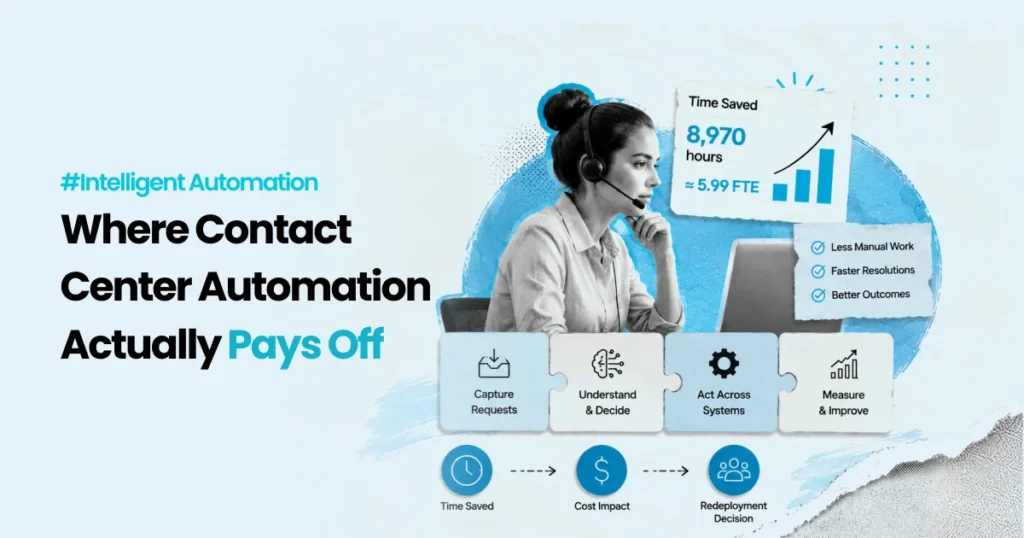
Automation for the Contact Center: Practical AI and Workflow Transformation

At 9:05 a.m., the queue is already climbing.A customer starts in chat, then switches to email, then calls. An agent picks up, but they do not have full context. They ask the customer to repeat details. The customer is frustrated, and the agent is rushed. After the call, the agent has two more minutes of work: write notes, tag the case, update the CRM, and trigger a back office request. That “two minutes” repeats hundreds of times a day. It becomes hours.Most contact centers do not struggle because people are not trying. They struggle because the work is split across too many tools, too many handoffs, and too many manual steps.This is why “AI and automation” in the contact center should not start with tools. It should start with the work.This article is a practical playbook. It breaks down where automation helps most, where it often fails, and how to roll it out safely so it holds up in production. What “real transformation” looks like in a contact centerReal transformation is not “more bots.” It is fewer broken handoffs.It looks like this:• Customers do not need to repeat themselves.• Simple requests get resolved faster.• Agents spend more time on complex issues, not admin work.• After call work becomes lighter and more consistent.• Exceptions have a clear path, not a long email thread.• Leaders can see what is happening and why.This is not a nice to have. It is the foundation for service levels, compliance, and cost control.[Image: A simple “before vs after” workflow showing fewer handoffs | Alt: Contact center workflow before and after automation ] Step one: Map the work, not the org chartMost contact center projects start with channels. Chat. Email. Voice. WhatsApp.A better start is to map one or two real workflows end to end.Pick something common, like:• “Where is my order?”• “Change my address”• “Cancel or refund”• “Prescription status” (for regulated industries)• “Account access issue”Then map the steps across teams and systems. What to capture in a workflow mapKeep it simple. Capture only what is needed to design automation safely: Self service that actually helpsCustomers like self service when it works. It is faster and gives control.But “self service” fails when it traps people. If a customer cannot reach a human, the experience gets worse.A strong self service design has two parts: Contact management and routing: Send the work to the right placeRouting is not only “which agent gets the call.”Routing is a full decision system:• which channel is best• which queue• which priority• which agent• what should happen nextModern contact centers use omnichannel routing to handle voice and digital interactions under one model. NiCE describes omnichannel routing as routing across channels like voice, chat, email, social, SMS, and self-service. (NiCE)Where automation helps most1) Intent detectionEven basic intent detection can reduce misroutes.Example:• “I want to change delivery address” should go to order workflow, not general support.2) Skill-based routingMatch the request to the agent best equipped to solve it.3) Priority rulesCertain customers or issues need faster handling.Examples:• regulated complaint• account security• high-value customer• time-sensitive delivery issue4) Real-time load balancingWhen queues spike, routing needs to adapt without manual micromanagement.NiCE also describes AI-powered routing as using real-time context to match customers to the right resolution path and improve outcomes like FCR and CSAT. (NiCE)[Image: Routing decision tree showing intent, risk, priority, skill match | Alt: Contact center routing decision tree example ] Agent assist: Reduce handle time without rushing the humanMost leaders talk about “deflection.” But many of the biggest wins come from supporting the human agent.Agent assist is about giving the agent the right context at the right moment:• customer details• last interactions• relevant policy• next best steps• draft responsesThis reduces searching, reduces mistakes, and helps consistency.The most useful agent assist patterns1) Knowledge suggestionsShow the best answer or policy snippet during the interaction.2) Guided workflowsInstead of a long checklist, guide the agent step by step.3) Real time summariesSummarize what the customer said so far, so transfers are smoother.4) After call summariesAfter call work is expensive and often inconsistent.NiCE positions call summary automation as a way to reduce manual after-call work by generating structured summaries. (NiCE)AWS also describes the operational benefit of call summarization, including better continuity and less repetitive admin work. (Amazon Web Services, Inc.)A key point: agent assist should not feel like a second tool. It should show up inside the system agents already use.[Image: Agent assist UI mock showing customer context and suggested steps | Alt: Agent assist view with context and next steps ] After call work and back office automation: The hidden cost centerAfter every interaction, work continues:• case notes• tagging and categorization• follow up emails• CRM updates• dispatching back office tasks• updating customer recordsThis is where time disappears.Automation here is often more reliable than front line automation because:• the rules are clearer• the systems are internal• risk can be controlled with approvalsWhat to automate first in back office workStart with tasks that are:• repetitive• rule based• high volume• easy to verifyExamples:• create a ticket with correct category and required fields• update a CRM status and next action• generate a link or a pre filled form• pull an order status and attach it to the case• trigger a refund request with the right metadataThis is also where RPA can help when APIs are limited. CCaaS platforms and CRMs are not always fully connected. Sometimes a software bot is the simplest bridge.[Image: Back office workflow showing ticket creation, CRM update, and task dispatch | Alt: After-call workflow automation example ] How to adopt AI and automation without breaking serviceAutomation fails in contact centers for predictable reasons:• it works in demos, not in real volume• it ignores edge cases• it has no owner after go live• it cannot explain what it didA safer rollout uses controls and a clear operating model.A simple adoption checklist1) Start with one workflowPick one high volume workflow and get it right.2) Design the exception pathsDecide what happens when:• data is missing• confidence is low• customer intent is unclear• the action

Blog

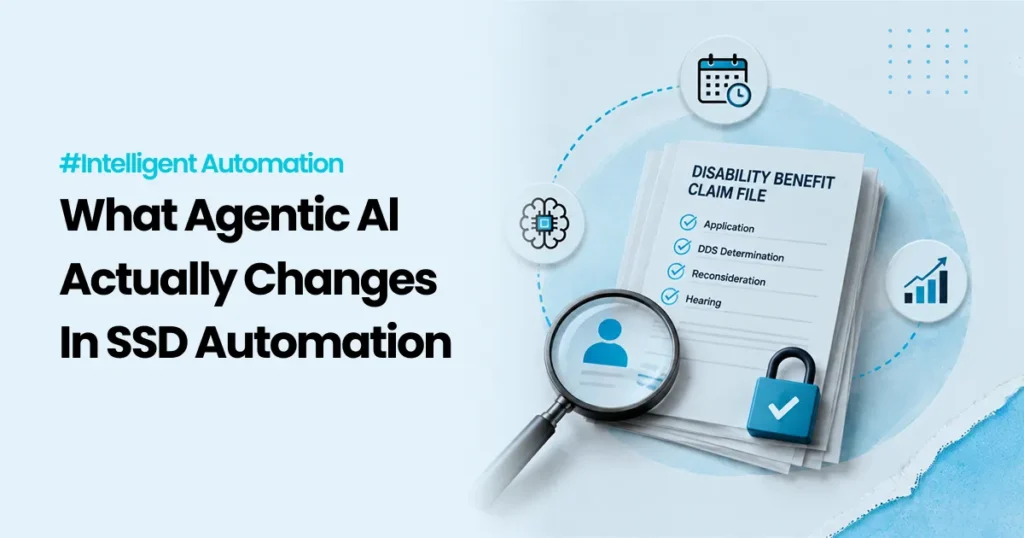
Embracing SSD Automation to Improve Disability Benefit Processes

A disability benefit application is not “just paperwork.” For the person applying, it can be rent, heating, medication, and stability. For the agency or organization processing it, it is a high stakes, regulated workflow that depends on accurate evidence, careful decisions, and clean documentation. That is why Social Security Disability (SSD) processes can feel slow, even when most of the work is already digital. In the US, the Social Security Administration (SSA) runs disability programs like Social Security Disability Insurance (SSDI). SSDI provides monthly benefits to eligible disabled workers and, in some cases, their family members. (Social Security) Whether you are working in SSDI, a similar disability program in another country, or any regulated benefit workflow, the core challenge is often the same: The work is not hard because it is complicated. The work is hard because it has many steps, many handoffs, and many exceptions. Automation can help, but only when it is applied carefully. This article explains where automation fits best in SSD workflows, what to automate first, and how to keep control, traceability, and trust in the process. What makes SSD workflows uniquely hard [Image: A simple flow diagram from “Application” to “Decision” with multiple handoff points | Alt: Multiple handoffs in a disability claim workflow ] A typical disability case includes: In the US, SSA accepts disability applications through field offices, by phone, by mail, or online. The application includes descriptions of impairments and treatment sources. Disability Determination Services (DDS) and SSA offices then play roles in developing and deciding the case. (Social Security) So where does time get lost? 1) Many steps depend on missing or messy inputs A form might be incomplete. A medical record might arrive late. A name might not match across systems. A signature may be missing. These “small” issues create big delays. 2) A lot of work is “glue work” between systems Even when everything is digital, teams still spend hours moving information across tools, chasing documents, and updating status fields. 3) The exceptions decide the workload Most cases follow a “normal” path on paper. In reality, exceptions pile up. If exceptions are not handled well, staff time gets consumed fast. That is the best place to start with automation. Quick definitions (simple, no fluff) [Image: Three cards labeled RPA, Workflow, AI with one line definitions | Alt: Simple definitions of RPA workflow and AI ] Before we go deeper, here is plain language: RPA (Robotic Process Automation) Software bots that follow repeatable steps in systems, like copying data, checking fields, downloading files, or updating records. Think “digital assistant for repetitive clicks.” Workflow automation Rules that route work to the right person or queue, track status, and enforce steps. Think “the system that keeps the process moving.” AI support Tools that help with language heavy tasks like summarizing documents, sorting requests, or drafting messages. It needs boundaries and human review for risky steps. Where automation fits best in SSD processes [Image: A table screenshot style visual showing “Step” and “Automation opportunity” | Alt: Automation opportunities across SSD claim steps ] Here is a simple way to spot automation opportunities. These are common stages in disability workflows, and what automation can safely support. Workflow stage Common bottleneck What automation can do safely Intake Missing fields, mismatched IDs Completeness checks, validation, routing Evidence collection Chasing documents Automated reminders, document requests, status tracking Document handling Manual sorting and filing Classification, indexing, attaching to case Case management Status updates across tools Sync updates, task creation, queue routing Triage High volume and prioritization Flag urgent cases using clear rules, supported by guidance Communications Slow response cycles Drafting templates, consistent updates, translations (with review) Reporting Manual weekly reporting Scheduled reports, reconciliations, dashboards Appeals Rework and repeated steps Checklists, document packaging, consistent workflows This is not “automate everything.” This is: automate the parts that create delays without improving decision quality. A real example of “smart triage” (and why it matters) [Image: A highlighted “Fasttrack” lane on a workflow | Alt: Fast track triage path for clearly eligible cases ] Some cases should move faster because the evidence is clear. In the US, SSA’s Compassionate Allowances (CAL) program is designed to identify claims where the condition clearly meets the disability standard, so decisions can be made faster. SSA notes that it uses technology to help identify potential CAL cases. (Social Security) This is a useful lesson even outside the US: Triage is not about letting a machine decide eligibility. Triage is about quickly routing cases into the right lane so humans spend their time where judgment is needed most. High impact automation use cases for SSD workflows [Image: A checklist UI with “Done / Needs info / Escalate” | Alt: Automated case checklist for disability processing ] Below are practical automation areas that tend to show real value in SSD and similar benefits operations. 1) Intake checks and smart routing Automation can: In the US, SSA offers online disability applications, which already supports the idea of digital intake at scale. (Social Security) Automation can sit behind that intake to reduce rework and missing info loops. 2) Document handling and evidence packaging A huge amount of SSD work is document heavy. Automation can help with: This is often the first place teams see time savings because it removes repetitive admin work. 3) Case status updates across systems A common pain point is updating multiple tools: RPA can keep systems in sync by handling routine updates reliably. 4) Applicant communications and follow ups Automation can support: This reduces inbound “What is the status?” contacts and gives applicants more clarity. 5) Reporting and reconciliation Many SSD teams still build reports manually. Automation can: This is safer automation because it does not touch eligibility decisions, but it improves visibility fast. The “safe automation” rule in disability workflows [Image: A simple graphic: “Automate steps, not judgment” | Alt: Safe automation principle for regulated decisions ] If you remember one thing, make it this: Automate steps. Do not automate judgment. In disability workflows,

Scroll to Top