
Scaling Without Hiring Agentic AI for Social Security Disability Firms
Fee caps do not move. Operational capacity should. Automate the SSD administrative work that was never meant to be done manually.
Trusted by Global companies worldwide







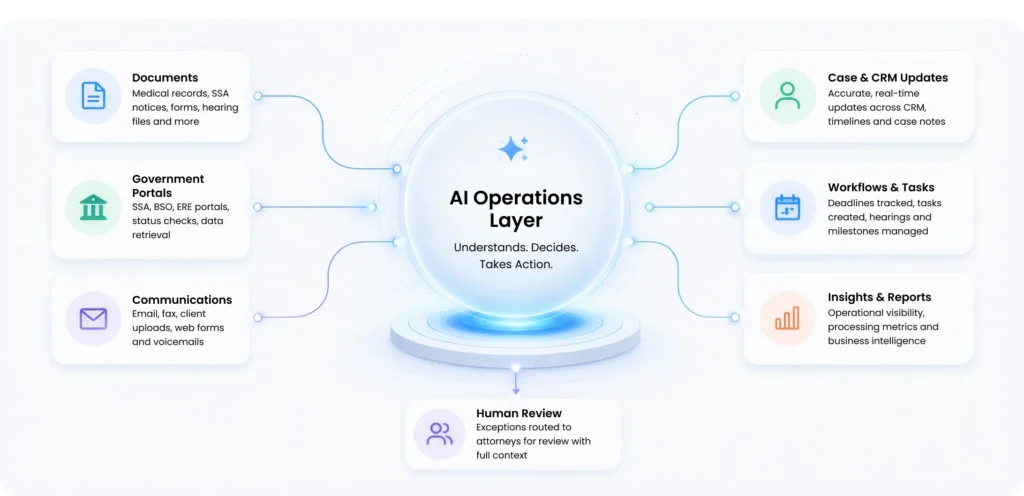
AI Operations Layer
Human Review
Exceptions routed to attorneys for review with full context
Documents
Medical records, SSA notices, forms, hearing files and more
Government Portals
SSA, BSO, ERE portals, status checks, data retrieval
Communications
Email, fax, client uploads, web forms and voicemails
Case & CRM Updates
Accurate, real-time updates across CRM, timelines and case notes
Workflows & Tasks
Deadlines tracked, tasks created, hearings and milestones managed
Insights & Reports
Operational visibility, processing metrics and business intelligence
Deployment Timeline
Typical implementation from kickoff to production.Labor Cost Growth
Kept staffing growth significantly below caseload growth.
Document Processing Time
Cutting document handling time from 5-8 minutes by up to 85%.
Caseload Growth
Increased production capacity through AI-powered automation. Problem we are solving
 Where scaled SSD operations break
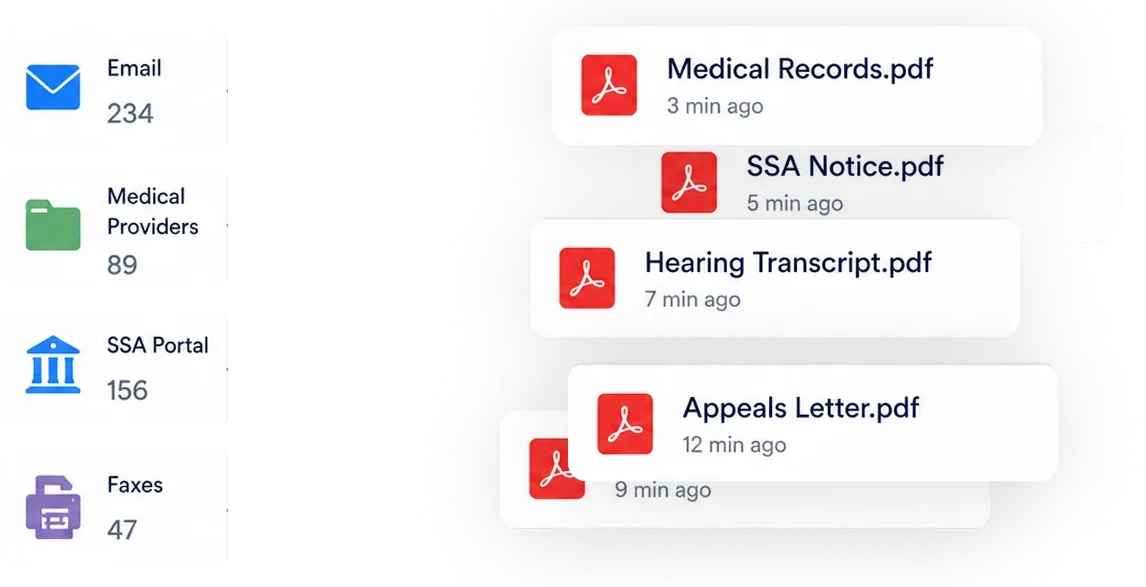
Document processing backlog
Federal notices, medical records, hearing correspondence. One document takes 5–8 minutes of manual work. A 20-person firm loses roughly 60 staff hours daily to work that produces no client value.
The government portal problem
The headcount growth trap

Attempt 01 — Hire
Add headcount to absorb caseload
Fee caps mean revenue per case doesn’t move with headcount — so hiring caps your margin at the exact moment caseload is growing.

Bring in a bot vendor
Firms that try this find it breaks fast, because SSD work wasn’t built for scripts. That’s not a tooling gap — it’s a mismatch between how SSD documentation behaves and how RPA assumes it will.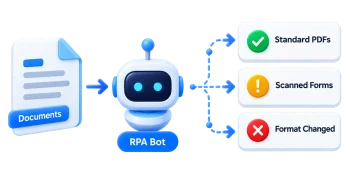
 Architecture
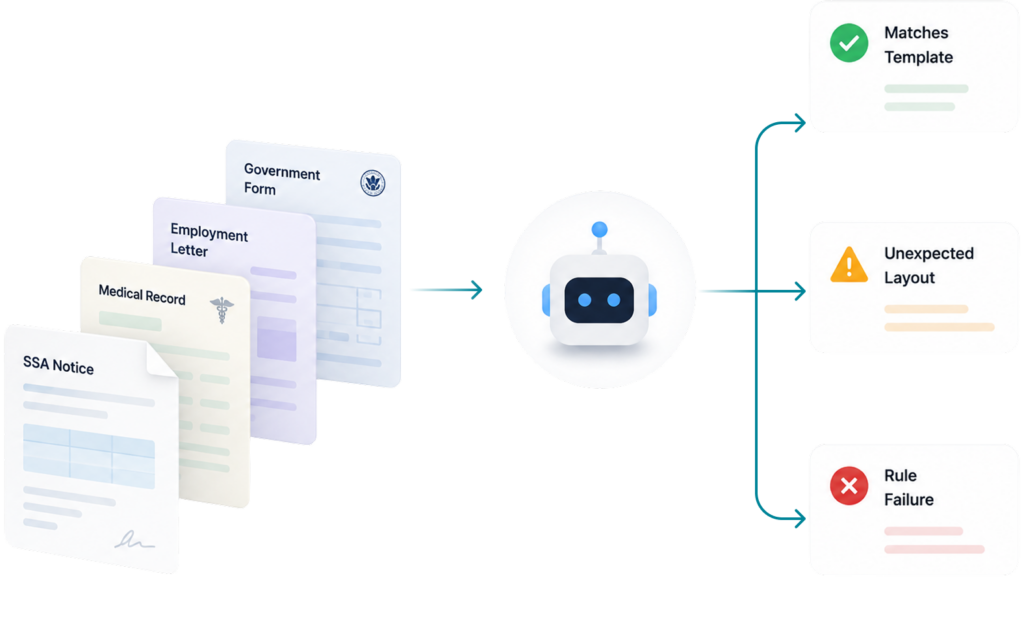
 RPA was never built for SSD's variability
Structured data assumption
SSD documents don’t follow predictable formats. Bots trained on templates break on real-world variants.
The happy-path problem
Maintenance burden
When SSA updates a portal, rules-based bots break. Maintenance costs can rival the work they replace.
 The Solution
 Agentic AI reads context. RPA reads scripts.
Instead of following fixed rules, Agentic AI understands what a document is, decides what to do with it, and knows when to stop and ask.
Intelligent Document Processing
Classifies documents from content, updates the CRM, creates follow-up tasks, and flags exceptions automatically.
98% extraction accuracy
Government Portal Automation
Orchestration handles login, OTP routing, and data extraction with BSO and ERE. Staff stay inside the case management system — not the portal.
92% fully automated
Exception-First Governance
Confidence scoring and secondary validation happen before any write. Full audit trails on every action — not just the successful ones.
Reduces undetected error risk
01
Intake
02
Classify
03
Extract
04
Validate
05
Act
06
Audit
Proof and Readiness What changes when this is in production
| Metric | Before | After |
|---|---|---|
| Monthly caseload | 6,000 | 13,000 |
| Caseload growth | Baseline | +117% |
| Labor cost growth | Baseline | +43.8% |
| Document processing time | 5–8 min | ~1 min |
| Portal management | Manual | Fully automated |
| Staff on client work | Minority of hours | Majority of hours |
Readiness self-check
- 2+ hours per day per staff member on document processing and CRM
- At least one manual data-entry error in the past 12 months
- Caseload growing faster than hiring can keep up
- Handling 2,000+ cases per month
- Staff blocked by simultaneous portal access
- HSR review takes more than half a day per cycle
- RPA has been tried and found unreliable
Your questions Frequently Asked Questions
Everything You Need to Know About Protecting Your Home, Business, and Property — Answers to the Questions Our Clients Ask Most Often
SSA changes the portal?
How fast is impact?
Document processing improvements show up within the first two weeks of go-live. Portal automation for HSR processing is fully operational within four to six weeks. A standard end-to-end deployment runs 8 to 12 weeks.
Minimum caseload?
Firms under 1,500 cases per month usually find the investment does not recover quickly enough to justify it. At 2,000 or more, payback typically lands within 12 months. At 5,000 or more, it is often inside 6 months.
Existing case management?
The integration layer is platform-agnostic. We deploy into Salesforce frequently, and we build custom connectors for most major legal case management platforms. You do not need to replace your core system to make this work.
AI misclassified?
Before anything is written to a client record, the system validates its classification against multiple data points. If confidence falls below threshold, it escalates to a human reviewer immediately with full context. No write operation ever happens on an uncertain classification, which means a misclassification becomes a flagged exception rather than a silent error.
Ready to see what this could do for your firm?
Book a free operational review. We’ll identify the highest-leverage workflows and tell you plainly whether PAteam can help.