Author name: Shruti Sharma

Why Hire An Rpa Consulting Firm Instead Of Building Inhouse
Blog

Why Hire an RPA Consulting Firm Instead of Building Inhouse

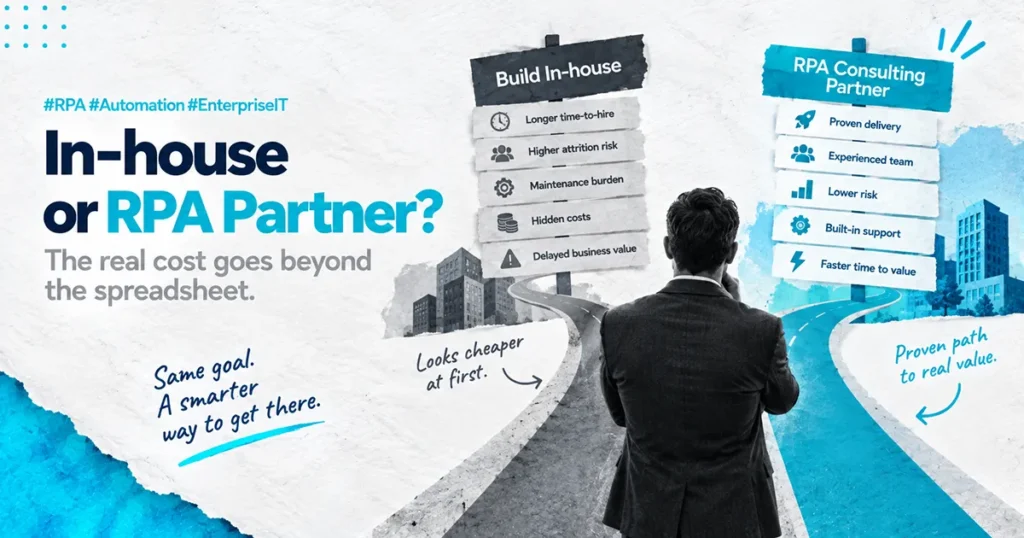
The IT Director has just been handed a budget. Twelve months of headcount, a tooling allocation, and a board-level mandate to “stand up an internal RPA capability.” On paper, this is a win. In practice, sitting at their desk on a Thursday afternoon, they are quietly working out whether they have just inherited a problem that nobody else in the executive team wanted to solve. That feeling is the right instinct. The question of why hire an RPA consulting firm instead of building inhouse is one of the most consequential decisions a COO or CIO will make in the first phase of an automation program. The wrong answer is rarely catastrophic in month three. It is catastrophic in month eighteen, when the bots are unstable, the team is half-staffed, and the ROI case looks nothing like the slide deck that got it approved. Here is what we actually think, based on nearly a decade of enterprise delivery: building RPA inhouse sounds cheaper until you factor in the twelve months it takes to get a developer genuinely productive and the cost of the bots that break in the meantime. The hidden cost of inhouse is not the salary line. It is the time it takes to build the muscle, and what fails while you are building it. This post answers when inhouse makes sense, when it doesn’t, and what good actually looks like. What the Inhouse Pitch Usually Leaves Out The inhouse business case typically lands on a CFO’s desk looking very clean. Two developers, a process analyst, a part-time architect, an annual RPA license, and a project manager. Total cost on paper looks reasonable, especially compared to a consulting proposal that runs three or four times that number on the surface. The problem is that the inhouse business case is built on the wrong assumption. The assumption is that hiring an RPA developer is the same as hiring any other developer. It is not. A genuinely productive RPA developer is not a person who knows the tool. They are a person who knows the tool, has built bots that survived three system updates, has handled production exceptions at 3am, has worked through a real PDD-to-SDD transition, and has watched at least one of their own automations fail in a way that taught them something. That person does not exist on the open market in most regions. You either hire them from another consulting firm at a significant premium, or you build them, which takes around twelve months from a strong starting point. The inhouse plan rarely accounts for the cost of the bots that get built, deployed, and broken during that twelve-month learning curve. Learn how PAteam manages production RPA at enterprise scale. The Real Cost of RPA Managed Services vs In-house Team Costs Most direct cost comparisons between an internal team and a managed RPA partner come out close. The line-item math looks similar. The gap is in the cost categories that never make it into the spreadsheet. There are five. Recruitment cost and time-to-hire. A senior RPA developer in most enterprise markets takes three to six months to source, interview, offer, and onboard. That is six months of program time burned before any bots are built. Multiply by every role on the plan. Productivity ramp. Even an experienced RPA developer hired into a new business takes three to four months to understand the systems, the data, the processes, and the politics well enough to build production-grade automations. A junior developer takes much longer. Attrition. RPA developers are some of the most heavily recruited technical roles in the enterprise market. The probability that the team you spent twelve months building stays intact for another twelve is low. Every replacement resets the ramp clock. Maintenance debt. Inhouse teams almost always under-resource maintenance. Build is more visible, more rewarding, and easier to plan. Maintenance is invisible until something breaks. By month eighteen, most inhouse teams are spending sixty percent of their capacity maintaining the bots they built in months one to twelve. Opportunity cost. Every month the team is ramping is a month the business is not getting the automation benefit it approved the budget for. That cost rarely appears in the inhouse case but it is real, measurable, and often the largest number of all. A managed RPA partner absorbs all five of these costs into a delivery model that is already built. The bots get built faster, by people who have done it before, with a maintenance model already running. That is the actual comparison, not the salary line. What PAteam Does Differently with RPA Developer Training This is where the delivery quality gap actually lives. Most RPA consulting firms train their developers for one to three months before putting them on client work. The math is simple. The faster the developer is billable, the better the firm’s utilization rate. The client wears the cost of that compressed training in the form of bots that break, exception handling that was never thought through, and production issues that surface in month four instead of being designed out in month one. PAteam spends six months training every RPA developer before they touch client production work. Not because we are being generous. Because we have watched, repeatedly, what happens when the training is shorter. The first ninety days cover tooling and certification. The second ninety days cover real failure modes, exception design, the operational realities of a production estate, and how to build automations that survive system updates. The result is that the developer who arrives at your business has already seen what goes wrong. They build with that experience designed in, not bolted on after the first incident. Think of it this way: hiring an undertrained RPA developer is like hiring a pilot whose flight training was rushed. The aircraft will fly in good weather. You will only find out about the gap in their training in the conditions that matter most. What to Look for in an RPA Implementation

Why Hire A Nice Cxone Certified Implementation Partner
Blog

Why Hire a NICE CXone Certified Implementation Partner

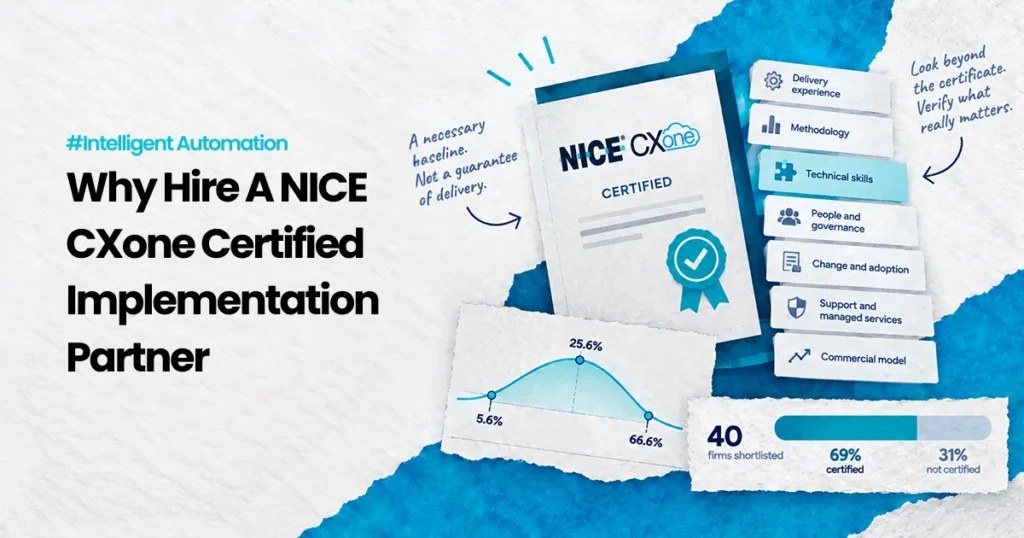
Three months into your CXone implementation, your contact center is running two systems in parallel. Agents are context-switching between old and new. Your VP of Operations is getting daily escalations about dropped calls and missed SLAs. Your CFO is asking why the ROI timeline just got pushed out another quarter. This is not uncommon. It happens when the vendor who sold you CXone and the team actually building it are not the same people with the same accountability. Here is what we actually think about this, based on what we have seen in the field: Most CXone implementations fail because vendors sell the platform, not the transformation. A certified NICE CXone implementation partner owns the outcome, not just the delivery. That distinction is everything. This post walks through why hiring a certified implementation partner is not a commodity decision. It is the difference between a project that lands on time and one that becomes a runaway budget line item. The Real Cost of Choosing Wrong When you buy NICE CXone directly from the vendor, you get a platform. You do not get a partner who has done this 50 times before. You do not get a team that knows exactly where migrations get stuck, which integrations break, and how to train your people so they actually adopt the thing. Vendors are incentivized to sell licenses. Implementation partners are incentivized to make the implementation work. This creates two different behaviors: The vendor approach: Sell the software, support the go-live, move on to the next deal. The certified partner approach: Own the outcome, stay accountable for adoption and ROI, because our business depends on delivering what we promise. Here is the specific human moment where this matters: Your VP of Operations is in a room with the CFO explaining why the implementation is six months behind and $200K over budget. The vendor says it is not their problem. The implementation partner is still in the room, still working, still accountable. That is the difference. Why Certification Actually Matters NICE does not hand out implementation partner certification to everyone. The certification means three specific things: You have met NICE’s delivery standards. A certified partner has built multiple CXone environments. We have passed NICE’s audit. We know the platform deeply enough that NICE trusts us to represent it. You have access to NICE resources and architecture guidance. When something breaks, a certified partner has direct lines to NICE engineers. We do not troubleshoot in the dark. We have playbooks for the exact problems that show up in the middle of deployments. You are required to maintain quality standards. Certification is not a one-time badge. It means PAteam stays current with platform updates, completes ongoing training, and maintains a track record that NICE monitors. Think of it like this: You would not hire a contractor to renovate your house if they had never passed building inspection. Certification is the inspection. It proves competence before the work starts. But certification alone is not enough. What matters is what the certified partner does with that certification. What a Certified Partner Actually Delivers The difference between a vendor and a certified implementation partner shows up in five places: Implementation Methodology: A certified partner does not wing it. PAteam follows a five-stage methodology: Discover, Design, Launch, Enable, Scale. Each stage has defined gates, deliverables, and accountability. Your CIO knows exactly what to expect at each step. Accountability for Outcomes: Here is PAteam’s honest take. Most implementation partners measure success by go-live date. We measure success by adoption, ROI payback, and long-term retention. 90% of our customers are still with us three years after implementation. That number only exists if we deliver outcomes, not just deployments. Unstructured Data and Legacy Integration: Your existing systems are messy. Call flows are fragmented. Data is scattered across three different databases. A vendor handing you CXone expects you to solve this. A certified partner built a methodology to handle it. We know which integrations fail, which data migrations cause problems, and how to build workarounds that do not compromise your architecture. Team Adoption and Change Management: This is where most implementations actually fail. Not on the platform. On the people. Your agents need training. Your supervisors need new workflows. Your QA team needs new quality frameworks. A vendor gives you access to training videos. A certified partner sits with your teams, works through your specific use cases, and ensures adoption actually happens. Parallel Running Without Panic: Running two systems in parallel is operationally expensive and cognitively expensive for your teams. A certified partner knows exactly how long this window needs to be, how to structure the cutover to minimize risk, and how to backstop it so dropped calls do not happen. The Real Question: How Do You Avoid the Runaway Implementation? Your CFO is not wrong to be worried. The average CXone implementation that goes sideways costs $150K to $300K in unplanned expenses. That is real money. Here is what prevents it: Scope clarity before you sign: A certified partner does a real discovery phase before implementation starts. Not a sales call. A deep technical discovery that maps your current state, identifies integration complexity, and flags data migration risks upfront. If a partner cannot tell you estimated costs and timelines before you commit, that is a red flag. Accountability for timeline: PAteam delivers go-live in 90 days on average. That is not luck. It is methodology. It is having done this before. It is knowing which corners can be cut and which cannot. When a partner commits to a timeline and tracks to it, it disciplines the entire project. ROI payback under six months: If an implementation is not delivering ACW reduction by 30 to 40%, containment improvements, or headcount scaling by month four, something is wrong. A certified partner knows exactly where to look for those wins and how to optimize for them. What PAteam Actually Does Differently We are a certified NICE CXone implementation partner. We also build on three service

What Happens If Cxone Implementation Fails -Feature-Img
Blog

What Happens If CXone Implementation Fails (And Why It Usually Does)

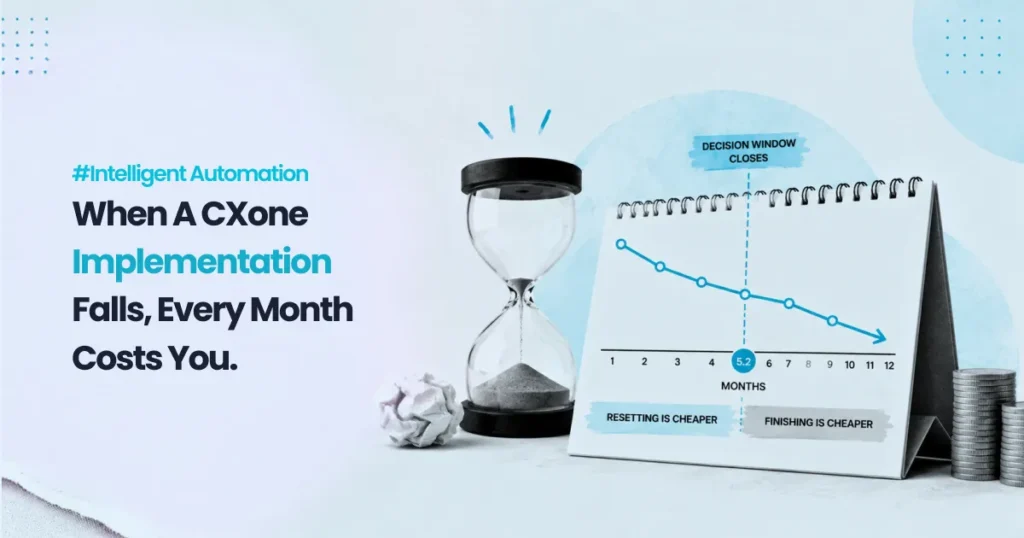
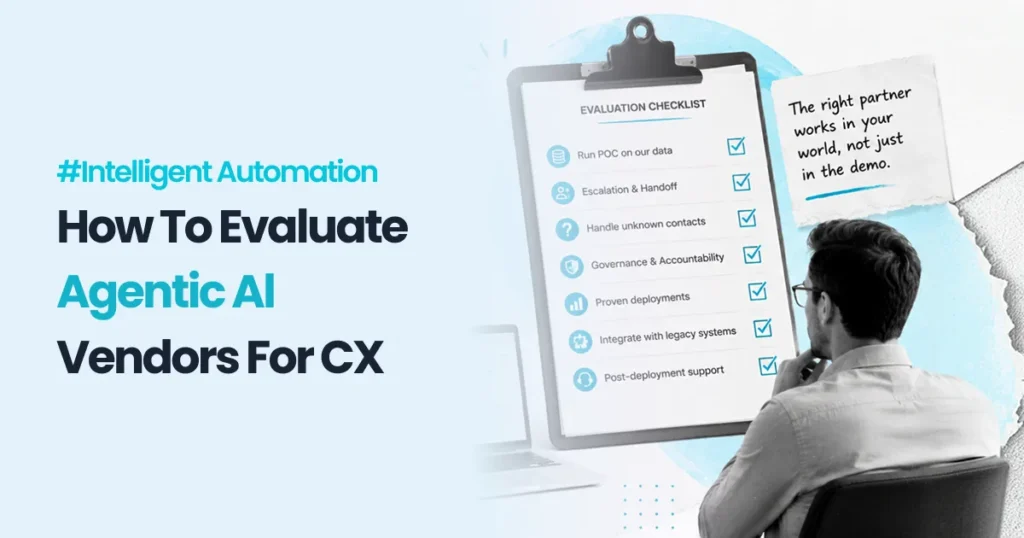
Three months after go-live, the contact center is running on the new platform. The migration was on time. The cutover weekend was clean. And yet, this morning, the CX Director is on a call with the CMO, who wants to know why customer satisfaction scores have dropped two points since the launch and why three of their top accounts have escalated complaints in the last fortnight. That is what a failed CXone implementation actually looks like. Not a system that doesn’t turn on. A system that turned on, runs every day, and is quietly degrading the customer experience it was supposed to transform. If you are about to sign with an implementation partner, or you are already mid-program and starting to feel something is off, this post answers exactly what happens if CXone implementation fails, what causes it, and what the recovery actually involves. Here is what we actually think, based on nearly a decade of NICE CXone delivery: a failed CXone implementation is almost never a platform problem. It is a scoping and governance problem that was baked in before a single line of configuration was written. The platform works. The program around it didn’t. What a failed CXone implementation actually looks like in the real world When a CIO or Head of Contact Center hears “implementation failure,” the picture in their head is usually a project that missed go-live. That is the easy version. The expensive version is the one that goes live on time and slowly bleeds value for the next eighteen months. A failed CXone implementation typically shows up in five ways, and rarely all at once. Call routing logic that was designed against an outdated process map, so agents are getting calls outside their skill sets. IVR menus that mirror the old system instead of using CXone’s capability properly, so containment rates barely move. Reporting that nobody trusts because the data model was rushed during cutover. Integrations with the CRM and ticketing system that work for the happy path but fail on every exception. And a workforce management setup that no one on the operations team really understands, so forecasting accuracy collapses. Individually, each of these looks like a minor configuration issue. Together, they are a failed implementation that nobody has formally called a failure yet. This is the moment a CX Director, an IT lead, and a contact center operations manager start having quiet conversations about whether to escalate. Learn how PAteam delivers NICE CXone implementations end to end. NICE CXone implementation risks the sales process never surfaces The implementation risks that cause most CXone failures are not technology risks. They are commercial and operational risks introduced before the platform is even touched. There are three that we see almost every time. Underscoped discovery. Many implementation partners price the discovery phase as a short, structured workshop because that is what fits a fixed-bid proposal. In a real contact center with five queues, three CRMs, two ticketing systems, and a workforce management tool, two weeks of discovery is not enough. The detail that doesn’t get captured in discovery becomes a change request three months in or, worse, a silent compromise made by a junior consultant under deadline pressure. Governance handed to the implementation partner. A CIO who treats the implementation partner as the program owner ends up with a system the partner thinks is great and the business cannot operate. Governance has to sit with the client. The partner advises, configures, and challenges. The client owns the outcome. No formal exception model. This is the one nobody talks about. Standard CXone configuration handles the happy path well. The 80% of contacts that follow a predictable journey. The trouble is, the 20% of exceptions, the escalations, the after-hours overflow, the unusual customer types, the failed integrations, are where customer experience actually breaks. If your implementation plan does not have a dedicated exception design track, you are launching a system that handles your easiest cases beautifully and your hardest cases badly. That third risk is why PAteam designs every CXone program around what we call Exception-First configuration. We build the exceptions in deliberately during Design, not as bolt-ons later. What happens to the business when CXone implementation fails This is the part executives need to take seriously, because the consequences extend far beyond the IT budget. A failed CXone implementation typically produces three measurable business outcomes. First, customer experience degrades quietly. CSAT and NPS scores drop by two to four points in the months after launch, before anyone connects the dots back to the implementation. Customers do not know the platform changed. They just know their experience got worse. Second, contact center operations cost more, not less. Average handle time goes up because the routing logic is wrong, agents are escalating contacts that should have been handled at the first level, and after-call work expands because reporting is unreliable and supervisors are double-checking everything manually. The efficiency gains that justified the investment evaporate. Third, the relationship between IT and the business breaks down. The CIO who championed the move sits in a room with a CMO and a COO whose teams are now working harder and getting worse results. Trust takes years to rebuild after that conversation. Think of it this way: a poorly implemented CXone is like moving into a beautifully designed new office where the wiring is wrong, the heating is fighting the cooling, and the meeting rooms can’t fit the teams that use them. Everything looks modern. Nothing actually works the way the day-to-day requires. How to avoid CXone implementation failure before it starts The good news is that failure patterns are visible at the proposal stage if you know what to look for. These are the diagnostic questions every CIO or VP of IT should ask before signing with any CXone implementation partner. How long is the Discover phase, and what specifically is in scope? If it is under three weeks for a contact center with multiple queues and integrations, the proposal

Signs Your Rpa Implementation Needs Expert Help - Feature Img
Blog

Signs Your RPA Implementation Needs Expert Help (Before It Collapses)

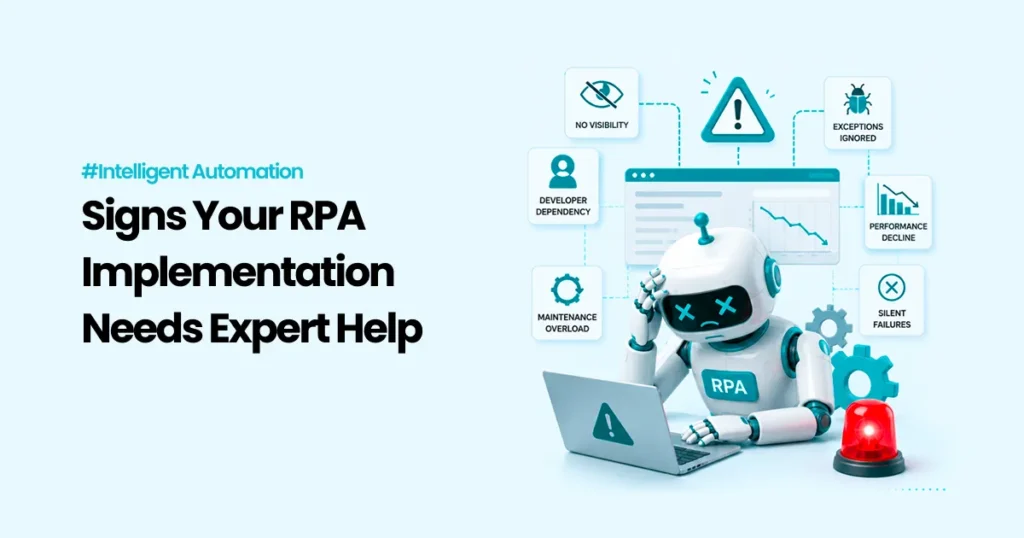
The bot count is up to 40. The program has been running for two years. And when someone asks the Operations Manager which bots are actually live and processing today, they pause, open a spreadsheet, and say: “Most of them. I think.” That pause is where RPA programs go to die. If your team has crossed the threshold from one or two automations into a larger bot estate, the signs your RPA implementation needs expert help are probably already there. Most teams just don’t see them until an audit lands on the COO’s desk, or a critical process has been failing silently for three weeks. Here is what we actually think, based on nearly a decade of enterprise RPA delivery: the warning signs that a program is in trouble are almost always visible six months before it collapses. The technology rarely fails on its own. The program fails because nobody is watching it the right way. This post covers exactly what those signs look like, why they happen, and what expert RPA management actually prevents. The moment most COOs realise the program is already broken It usually arrives quietly. Not with a system outage or a failed audit. It arrives when a VP of Operations is preparing a board update on automation ROI and realises they cannot answer a basic question: how many bots are running right now, what are they processing, and what happens when one breaks? That question requires visibility into bot runtime health. It requires exception logs that someone is actively reading. It requires an owner, not just the developer who built the thing eighteen months ago and has since moved on to other work. In most enterprise RPA programs, that infrastructure simply doesn’t exist. The VP ends up with a number, often inflated, of bots “in production.” What they don’t have is a clear answer on how many are delivering measurable business value today versus running silently with zero transactions and no alerts configured. If that description fits your program, you are not alone. And you are not too late. But you are close. Learn how PAteam manages production RPA at scale. Why RPA projects fail at scale, and it’s almost never the platform This is one of the most misunderstood dynamics in enterprise automation. When an RPA program starts to break down, the instinct is to blame the platform. Switch vendors. Start a new evaluation. Bring in a new tool. That is almost always the wrong diagnosis. The platform works. The problem is governance, maintenance, and the absence of a managed operations model. RPA bots are brittle by design. They interact with UI elements, form fields, and system interfaces that change regularly. A portal update, a field rename, a system migration that shifts a column position — any of these can break a bot without producing an error message that any business user would notice. The process just stops producing output. Think of it this way: deploying an RPA bot without a maintenance model is like installing a fire suppression system and then never testing the sprinklers. The infrastructure is there. Nobody would know it had stopped working until the building was already on fire. This is why, across the industry, roughly 50% of RPA programs fail to scale beyond the initial pilot phase. Not because the technology doesn’t work. Because the operating model wasn’t built to sustain it. Seven warning signs your RPA program needs expert help right now These are not theoretical red flags. These are the patterns PAteam sees consistently when we conduct RPA estate audits for new clients. You can’t tell which bots are currently active without checking manually. If bot status requires human verification rather than a live dashboard, your monitoring infrastructure is missing. Full stop. Someone “owns” the bots, but that’s not their primary job. RPA maintenance assigned as a 20% responsibility gets 20% of the attention it needs. When a bot breaks at 2am and the person who built it is on leave, what is the actual recovery path? The exception queue is being ignored, or doesn’t exist. Every production bot generates exceptions. Unhandled exceptions either stop the process or, worse, process records incorrectly without flagging errors. If nobody is reading the exception log daily, the bot is operating without a safety net. Development slowed down because maintenance consumed the team’s capacity. This is the classic RPA scaling trap. The more bots you deploy without a managed operations model, the more your developers spend fixing existing bots instead of building new ones. The program stagnates and the roadmap stalls. You have had a silent failure where a bot stopped processing and nobody noticed for days. In regulated industries especially, a silent automation failure can mean SLA breaches, missed obligations, or data processing gaps that are genuinely difficult to explain after the fact. The original developer is gone and nobody fully understands the build. Developer dependency is one of the most underestimated risks in enterprise RPA. If the only person who understood the bot logic has left, you have a single point of failure that nobody has formally acknowledged. Automations were built for one system version and that system has since been updated. Legacy bot debt accumulates fast. Bots built against older UI structures break silently when underlying systems are updated. Without version tracking and proactive maintenance schedules, these failures pile up until someone notices the numbers are wrong. Why RPA bot maintenance problems compound over time One broken bot is a maintenance ticket. Ten broken bots is a program review. Forty bots with no governance model is an executive conversation about whether the entire automation investment was worth it. The Head of Business Transformation who approved the original automation roadmap is now sitting across from their COO, explaining why process efficiency hasn’t improved despite two years of investment and a bot estate that keeps growing. They say the team is focused on maintenance. The ROI case they built eighteen months ago is starting to look very thin.

Bot Counts Are A Vanity Metric. Outcomes Are The Metric -Feature Img
Blog

Bot counts are a vanity metric. Outcomes are the metric.

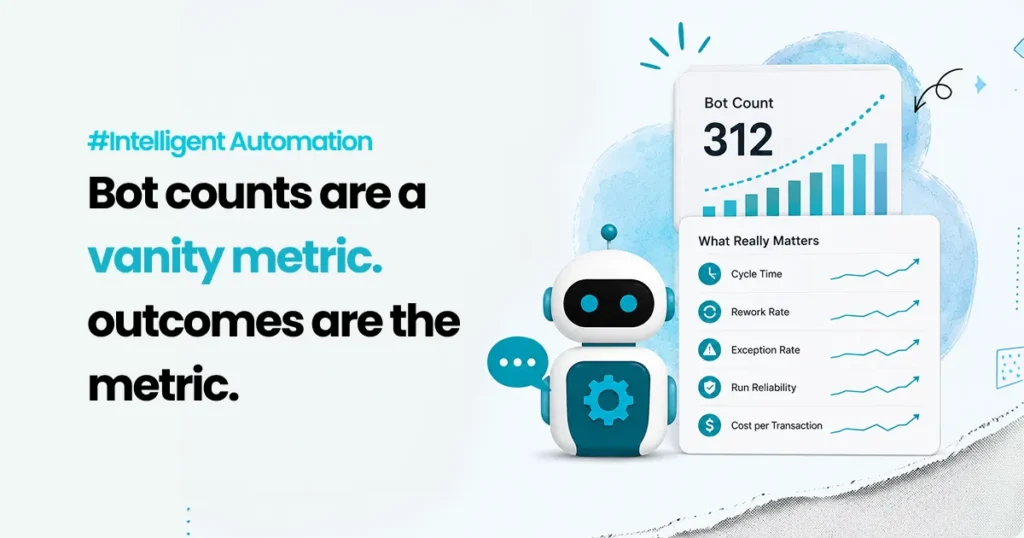
Last quarter, an automation manager walked into a leadership review with a clean slide. “312 bots live.” “64 processes automated.” “1,400 hours saved.” The room nodded. Someone even smiled. Then the operations lead asked the only question that mattered. “Great. So what changed for the customer and the team?” Silence. Not because the programme had failed, but because it had been measured like a hobby. Lots of activity, very little proof of impact. That is the trap with robotic process automation (RPA). Bot counts feel like progress because they are easy to count. Outcomes are harder, because they require you to state what problem you were solving, which workflow it lives in, what the baseline was, what changed, and what stayed messy. This is not a niche failure. In September 2024, Gartner reported that fewer than 20% of organizations had mastered the measurement of hyperautomation initiatives. Frances Karamouzis, the Distinguished VP Analyst quoted in that release, tied the problem to scope: these programmes sit inside a much larger technology roadmap, so the measurement question is rarely owned by anyone in particular. Two years on, most of the automation reviews we sit in still open with a bot count. This post is a practical way out of that. You will get the five metrics that actually tie to return on investment (ROI), what to measure when humans stay in the loop, a worked ROI model with the arithmetic filled in, and the point at which that model stops working. Why bot counts mislead smart teams Bot counts measure output from the automation team, not outcomes for the business. A single bot can be tiny, copying two fields between systems, or it can close an end-to-end case across fou2r systems. Counting both as “1 automation” is like counting “1 meeting” without caring whether it decided anything. Bot counts also hide three uncomfortable truths. Automation can move work rather than remove it. A bot speeds up step A and generates more exceptions at step B. Total handling time barely moves. The customer still waits. Automation can increase risk quietly. If a bot takes decisions without strong logging, approvals and access controls, you become faster and less audit-ready at the same time. Worth noting that the standard reference here, NIST Special Publication 800-92 on log management, was published in 2006, and a revision has been sitting in draft since October 2023. If your audit posture depends on it, read the draft rather than the twenty-year-old final. Automation can shift cost into places you are not looking. People still absorb edge cases, rework and escalation. If you do not measure that work, your ROI number is fiction. So measure the workflow, not the bot. The five metrics that actually tie to ROI ROI comes from four things: speed, quality, cost and risk. Five metrics map onto them. Each one below gets the same shape, deliberately: a definition, a formula, what to break it down by, and the failure mode it exposes. 1. Cycle time Definition. Time from request start to request completion, end to end. Not bot runtime. Formula. Completion timestamp minus request timestamp, per request type. Break it down by: request type, and by percentile. Track the median (p50) and the 90th percentile (p90), not the average. The average hides the long tail, and the long tail is what generates complaints. Failure mode it exposes. A bot finishes in nine seconds while the case takes two days, because it sits in a queue waiting for a human decision. Track only bot runtime and you will celebrate a system that is still breaching its service level agreements (SLAs). 2. Rework rate Definition. The share of cases that come back because they were done incorrectly or incompletely. Formula. Cases returned for correction divided by total cases. Break it down by: cause. Missing data, wrong routing, wrong status update. Three causes usually account for most of it. Failure mode it exposes. Rework burns the same case twice and usually crosses teams, so it rarely appears in any one team’s numbers. Reducing it is real money, unlike “hours saved.” 3. Exception rate Definition. The share of cases the automation cannot complete and hands to a human. Formula. Exceptions divided by total volume. Break it down by: workflow, reason code, system dependency, and by type, which the next section covers. Failure mode it exposes. This is the most honest metric you can track, because it measures friction rather than effort. It is also the one most often left out of the business case. 4. Success rate and run reliability Definition. How often automation runs complete as designed, and how quickly you recover when they do not. Formula. Completed runs divided by total runs. Alongside it, mean time to recover. Break it down by: failure cause. System errors, data issues and rule gaps have different owners. Failure mode it exposes. Unreliable automation creates operational drag that never appears as a cost line. Reliability also determines whether you can safely scale, so this metric governs your roadmap more than your ROI. 5. Cost per transaction Definition. Total cost to process a request class, divided by requests handled. Formula. (Human time cost + automation run cost + support and maintenance + exception handling) divided by total requests. Break it down by: before and after, for the same request class. Comparing different classes proves nothing. Failure mode it exposes. This is the one metric leadership understands without translation. It turns automation from an activity report into unit economics. What to measure when humans stay in the loop Humans do not disappear. They supervise, approve and absorb everything the rules did not anticipate. That work is where automation programmes quietly lose the savings they claim. Two things are worth knowing before you build this view. Your platform distinguishes between kinds of failure, and so should you. Microsoft’s Power Automate documentation separates business exceptions, meaning the process met a case it was not designed for, from generic exceptions, meaning something broke. These have different owners

Scroll to Top