Blog

Frame 2147241347
Blog

PAteam Launch: A New Look for the Work We Do Today

Smarter AI. Better CX. Seamless Automation. We are now live with our refreshed brand. It is not a reinvention. It is a clearer reflection of who we are now, and what we deliver day to day. PAteam has spent nearly a decade building systems that keep real operations moving. The kind of work that does not look flashy, but makes a measurable difference when volume rises, when exceptions pile up, and when teams need stability. For a long time, our delivery grew faster than our public story. This update brings them back into alignment. Where we started, and what we learned early PAteam began with a clear problem: too much important work was trapped in manual steps. Not because teams lacked talent, but because systems did not connect well. People had to act as the integration layer. They copied data from one tool to another. They reconciled reports by hand. They handled the same exceptions again and again. They chased approvals across inboxes. They kept service levels alive through effort. RPA became a natural foundation for us. RPA, robotic process automation, uses software bots to perform repeatable steps across systems. The best RPA work is not about replacing people. It is about removing the repetitive, high friction steps that slow teams down and create errors. Those early years also shaped our standards: We did not always write those principles down. We learned them through delivery. The work expanded as the world changed As the market evolved, two things became clear. First, enterprises started putting more of their critical workflows inside major platforms. In customer operations, that platform is often NiCE CXone. Second, AI became more practical. It moved from experimentation to real workflow support, especially in tasks involving language, triage, and decision support. So our work expanded, in a very natural way. We still deliver RPA. It is still a core strength. We also build agentic AI workflows. These are workflows where AI can understand a request, take guided steps, and use tools to complete tasks, within clear boundaries. And more of our delivery now happens inside NiCE CXone environments, not beside them. That is why becoming a NiCE CXone partner matters. It reflects the role CXone implementation and optimization now plays in what we do. None of this is a hard pivot. It is an evolution. It is the same delivery mindset applied to modern systems. Agentic AI, explained simply Agentic AI can sound complicated, but the idea is straightforward. In many workflows, teams need three things: Agentic AI supports exactly that. A well designed agentic workflow can: The key is the design. Agentic AI works when it is built into a workflow with controls. It fails when it is treated like a magic shortcut. This is where our foundation in automation matters. We have seen what breaks in production, and we build with that reality in mind. Why the brand needed to catch up Many people met PAteam through one door. Some met us through RPA. Some met us through CX work. Some saw automation and assumed one narrow use case. That is normal. Most websites give you the first chapter, not the full story. This refresh makes the full scope easier to see. We are now presenting PAteam through three clear service lanes: If you only knew one part of that, you will now see the full map. Not because we want to sound bigger, but because clarity helps buyers, partners, and teams make faster, better decisions. Getting the fundamentals right As we expanded our scope, we made a choice. We do not want to market more. We want to explain better. That starts with fundamentals. Run inside the tools teams already use The best systems do not force people into a separate portal. They run where work already happens, inside CXone, inside CRMs, inside enterprise tools. This improves adoption. It reduces training load. It also makes automation feel like part of operations, not a side project. Design for messy cases, not ideal cases Most workflows look clean on paper. Real operations are not clean. Exceptions decide whether a system is trusted. Missing data. Unclear intent. Policy edge cases. System downtime. High risk situations. If you do not design for those cases, automation becomes fragile. It creates more work instead of less work. So we design escalation and exception paths from day one. Make decisions traceable If a system takes an action, teams need to answer: This is what audit trails are for. They are not bureaucracy. They are control. Treat go live as the start of ownership Many automations fail after launch, not during build. They fail because nobody owns the system, nobody monitors it, and small issues compound until the workflow stops being reliable. A real operating model includes: These are not “extras.” They are what make systems durable. This is also why our new story focuses on fundamentals. It is what serious operators look for. The proof is in the environments that raise the bar PAteam has had the opportunity to work with demanding teams and high standard environments, including organizations like FedEx and work connected to MIT-level standards. We mention this carefully, and with humility, because logos are not the point. The point is what those environments teach you. They teach you that reliability matters more than novelty. They teach you that controls matter. They teach you that unclear ownership is a risk, not a detail. They also teach you to be precise in what you claim, what you ship, and how you operate what you ship. Those lessons shaped our approach. They also shaped this rebrand. We ant our public story to reflect the standards our delivery already follows. The tagline is short because it has to work hard Our tagline is: Smarter AI. Better CX. Seamless Automation. We chose it because it is simple, but not vague. Smarter AI Smarter AI does not mean AI everywhere. It means AI used where it fits, and bounded where it does not. Some

Frame 2147241348
Blog

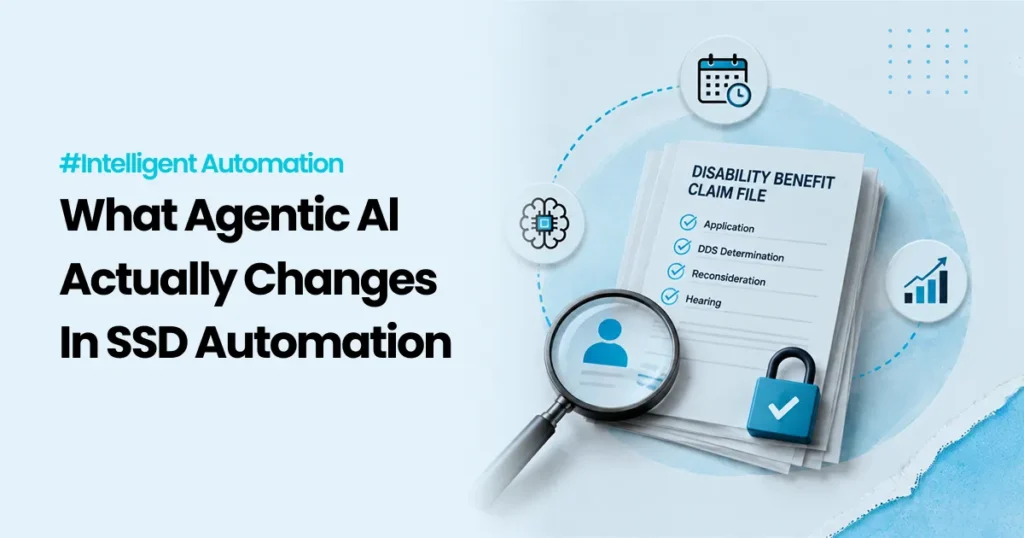
Embracing SSD Automation to Improve Disability Benefit Processes

A disability benefit application is not “just paperwork.” For the person applying, it can be rent, heating, medication, and stability. For the agency or organization processing it, it is a high stakes, regulated workflow that depends on accurate evidence, careful decisions, and clean documentation. That is why Social Security Disability (SSD) processes can feel slow, even when most of the work is already digital. In the US, the Social Security Administration (SSA) runs disability programs like Social Security Disability Insurance (SSDI). SSDI provides monthly benefits to eligible disabled workers and, in some cases, their family members. (Social Security) Whether you are working in SSDI, a similar disability program in another country, or any regulated benefit workflow, the core challenge is often the same: The work is not hard because it is complicated. The work is hard because it has many steps, many handoffs, and many exceptions. Automation can help, but only when it is applied carefully. This article explains where automation fits best in SSD workflows, what to automate first, and how to keep control, traceability, and trust in the process. What makes SSD workflows uniquely hard [Image: A simple flow diagram from “Application” to “Decision” with multiple handoff points | Alt: Multiple handoffs in a disability claim workflow ] A typical disability case includes: In the US, SSA accepts disability applications through field offices, by phone, by mail, or online. The application includes descriptions of impairments and treatment sources. Disability Determination Services (DDS) and SSA offices then play roles in developing and deciding the case. (Social Security) So where does time get lost? 1) Many steps depend on missing or messy inputs A form might be incomplete. A medical record might arrive late. A name might not match across systems. A signature may be missing. These “small” issues create big delays. 2) A lot of work is “glue work” between systems Even when everything is digital, teams still spend hours moving information across tools, chasing documents, and updating status fields. 3) The exceptions decide the workload Most cases follow a “normal” path on paper. In reality, exceptions pile up. If exceptions are not handled well, staff time gets consumed fast. That is the best place to start with automation. Quick definitions (simple, no fluff) [Image: Three cards labeled RPA, Workflow, AI with one line definitions | Alt: Simple definitions of RPA workflow and AI ] Before we go deeper, here is plain language: RPA (Robotic Process Automation) Software bots that follow repeatable steps in systems, like copying data, checking fields, downloading files, or updating records. Think “digital assistant for repetitive clicks.” Workflow automation Rules that route work to the right person or queue, track status, and enforce steps. Think “the system that keeps the process moving.” AI support Tools that help with language heavy tasks like summarizing documents, sorting requests, or drafting messages. It needs boundaries and human review for risky steps. Where automation fits best in SSD processes [Image: A table screenshot style visual showing “Step” and “Automation opportunity” | Alt: Automation opportunities across SSD claim steps ] Here is a simple way to spot automation opportunities. These are common stages in disability workflows, and what automation can safely support. Workflow stage Common bottleneck What automation can do safely Intake Missing fields, mismatched IDs Completeness checks, validation, routing Evidence collection Chasing documents Automated reminders, document requests, status tracking Document handling Manual sorting and filing Classification, indexing, attaching to case Case management Status updates across tools Sync updates, task creation, queue routing Triage High volume and prioritization Flag urgent cases using clear rules, supported by guidance Communications Slow response cycles Drafting templates, consistent updates, translations (with review) Reporting Manual weekly reporting Scheduled reports, reconciliations, dashboards Appeals Rework and repeated steps Checklists, document packaging, consistent workflows This is not “automate everything.” This is: automate the parts that create delays without improving decision quality. A real example of “smart triage” (and why it matters) [Image: A highlighted “Fasttrack” lane on a workflow | Alt: Fast track triage path for clearly eligible cases ] Some cases should move faster because the evidence is clear. In the US, SSA’s Compassionate Allowances (CAL) program is designed to identify claims where the condition clearly meets the disability standard, so decisions can be made faster. SSA notes that it uses technology to help identify potential CAL cases. (Social Security) This is a useful lesson even outside the US: Triage is not about letting a machine decide eligibility. Triage is about quickly routing cases into the right lane so humans spend their time where judgment is needed most. High impact automation use cases for SSD workflows [Image: A checklist UI with “Done / Needs info / Escalate” | Alt: Automated case checklist for disability processing ] Below are practical automation areas that tend to show real value in SSD and similar benefits operations. 1) Intake checks and smart routing Automation can: In the US, SSA offers online disability applications, which already supports the idea of digital intake at scale. (Social Security) Automation can sit behind that intake to reduce rework and missing info loops. 2) Document handling and evidence packaging A huge amount of SSD work is document heavy. Automation can help with: This is often the first place teams see time savings because it removes repetitive admin work. 3) Case status updates across systems A common pain point is updating multiple tools: RPA can keep systems in sync by handling routine updates reliably. 4) Applicant communications and follow ups Automation can support: This reduces inbound “What is the status?” contacts and gives applicants more clarity. 5) Reporting and reconciliation Many SSD teams still build reports manually. Automation can: This is safer automation because it does not touch eligibility decisions, but it improves visibility fast. The “safe automation” rule in disability workflows [Image: A simple graphic: “Automate steps, not judgment” | Alt: Safe automation principle for regulated decisions ] If you remember one thing, make it this: Automate steps. Do not automate judgment. In disability workflows,

Bot Counts Are A Vanity Metric. Outcomes Are The Metric -Feature Img
Blog

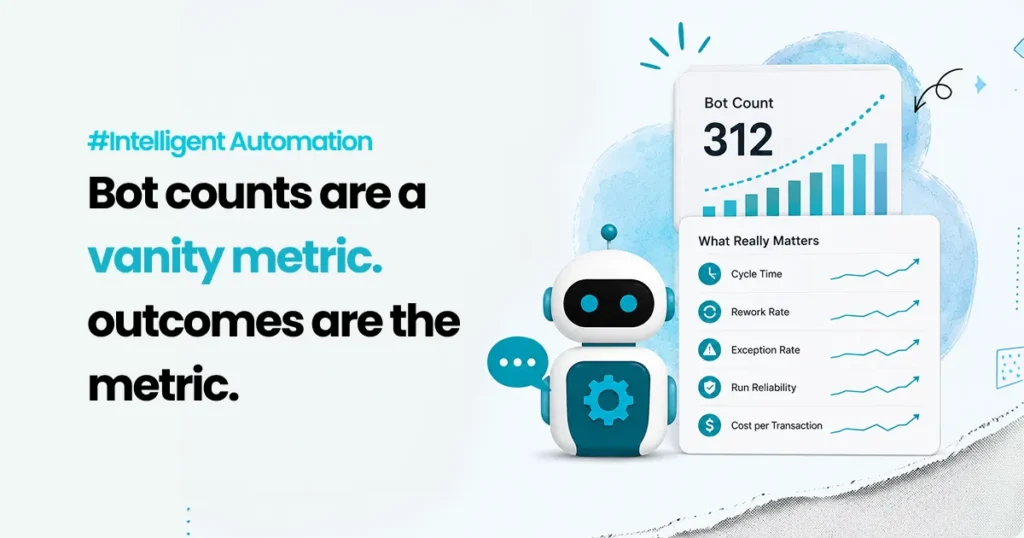
Bot counts are a vanity metric. Outcomes are the metric.

Last quarter, an automation manager walked into a leadership review with a clean slide. “312 bots live.” “64 processes automated.” “1,400 hours saved.” The room nodded. Someone even smiled. Then the operations lead asked the only question that mattered. “Great. So what changed for the customer and the team?” Silence. Not because the programme had failed, but because it had been measured like a hobby. Lots of activity, very little proof of impact. That is the trap with robotic process automation (RPA). Bot counts feel like progress because they are easy to count. Outcomes are harder, because they require you to state what problem you were solving, which workflow it lives in, what the baseline was, what changed, and what stayed messy. This is not a niche failure. In September 2024, Gartner reported that fewer than 20% of organizations had mastered the measurement of hyperautomation initiatives. Frances Karamouzis, the Distinguished VP Analyst quoted in that release, tied the problem to scope: these programmes sit inside a much larger technology roadmap, so the measurement question is rarely owned by anyone in particular. Two years on, most of the automation reviews we sit in still open with a bot count. This post is a practical way out of that. You will get the five metrics that actually tie to return on investment (ROI), what to measure when humans stay in the loop, a worked ROI model with the arithmetic filled in, and the point at which that model stops working. Why bot counts mislead smart teams Bot counts measure output from the automation team, not outcomes for the business. A single bot can be tiny, copying two fields between systems, or it can close an end-to-end case across fou2r systems. Counting both as “1 automation” is like counting “1 meeting” without caring whether it decided anything. Bot counts also hide three uncomfortable truths. Automation can move work rather than remove it. A bot speeds up step A and generates more exceptions at step B. Total handling time barely moves. The customer still waits. Automation can increase risk quietly. If a bot takes decisions without strong logging, approvals and access controls, you become faster and less audit-ready at the same time. Worth noting that the standard reference here, NIST Special Publication 800-92 on log management, was published in 2006, and a revision has been sitting in draft since October 2023. If your audit posture depends on it, read the draft rather than the twenty-year-old final. Automation can shift cost into places you are not looking. People still absorb edge cases, rework and escalation. If you do not measure that work, your ROI number is fiction. So measure the workflow, not the bot. The five metrics that actually tie to ROI ROI comes from four things: speed, quality, cost and risk. Five metrics map onto them. Each one below gets the same shape, deliberately: a definition, a formula, what to break it down by, and the failure mode it exposes. 1. Cycle time Definition. Time from request start to request completion, end to end. Not bot runtime. Formula. Completion timestamp minus request timestamp, per request type. Break it down by: request type, and by percentile. Track the median (p50) and the 90th percentile (p90), not the average. The average hides the long tail, and the long tail is what generates complaints. Failure mode it exposes. A bot finishes in nine seconds while the case takes two days, because it sits in a queue waiting for a human decision. Track only bot runtime and you will celebrate a system that is still breaching its service level agreements (SLAs). 2. Rework rate Definition. The share of cases that come back because they were done incorrectly or incompletely. Formula. Cases returned for correction divided by total cases. Break it down by: cause. Missing data, wrong routing, wrong status update. Three causes usually account for most of it. Failure mode it exposes. Rework burns the same case twice and usually crosses teams, so it rarely appears in any one team’s numbers. Reducing it is real money, unlike “hours saved.” 3. Exception rate Definition. The share of cases the automation cannot complete and hands to a human. Formula. Exceptions divided by total volume. Break it down by: workflow, reason code, system dependency, and by type, which the next section covers. Failure mode it exposes. This is the most honest metric you can track, because it measures friction rather than effort. It is also the one most often left out of the business case. 4. Success rate and run reliability Definition. How often automation runs complete as designed, and how quickly you recover when they do not. Formula. Completed runs divided by total runs. Alongside it, mean time to recover. Break it down by: failure cause. System errors, data issues and rule gaps have different owners. Failure mode it exposes. Unreliable automation creates operational drag that never appears as a cost line. Reliability also determines whether you can safely scale, so this metric governs your roadmap more than your ROI. 5. Cost per transaction Definition. Total cost to process a request class, divided by requests handled. Formula. (Human time cost + automation run cost + support and maintenance + exception handling) divided by total requests. Break it down by: before and after, for the same request class. Comparing different classes proves nothing. Failure mode it exposes. This is the one metric leadership understands without translation. It turns automation from an activity report into unit economics. What to measure when humans stay in the loop Humans do not disappear. They supervise, approve and absorb everything the rules did not anticipate. That work is where automation programmes quietly lose the savings they claim. Two things are worth knowing before you build this view. Your platform distinguishes between kinds of failure, and so should you. Microsoft’s Power Automate documentation separates business exceptions, meaning the process met a case it was not designed for, from generic exceptions, meaning something broke. These have different owners

Scroll to Top